


E-Paper IoT Dashboard Creator – project information
Open to collaboration to further develop the project or to selling it – contact me if you have any questions.
What is E-Paper Dashboard Creator?
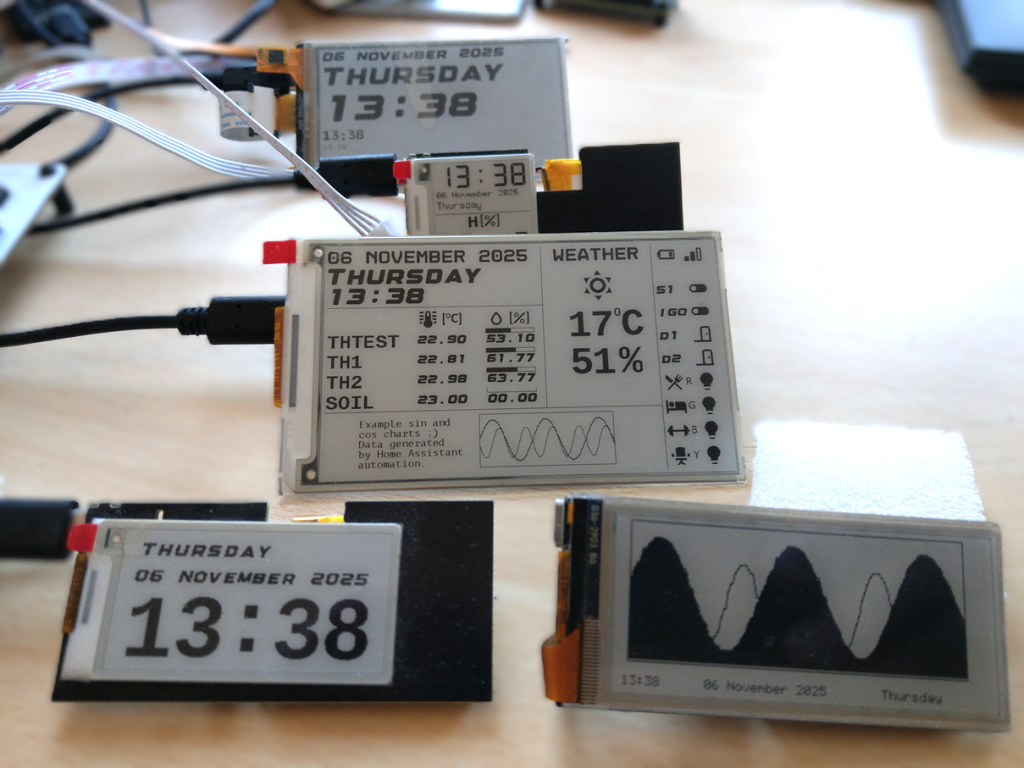
E-Paper Dashboard Creator is a hybrid hardware and software solution for creating custom smart home / IoT dashboards and applications.
- dedicated software for designing dashboards (views and workflows)
- custom PCB integrating e-paper display drivers and a dashboard configuration interpreter
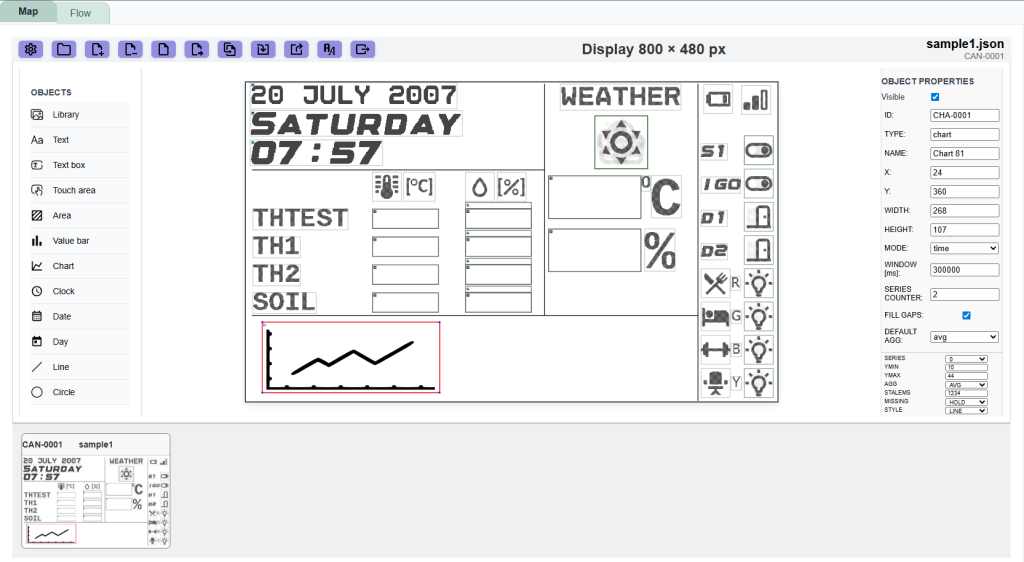
With no-code editor it is possible to design layouts for e-paper displays ranging from 1.54″ to 7.5″ — some models include touch panel input and frontlight. Once designed, generate a configuration binary and upload it directly to the device. In this initial project state the devices work with Zigbee network.
Why E-Paper Displays?
Build Your Own Dashboard – Visually – no code.
Example application
How to create the dashboard
1. Build the layout
2. Build the workflow
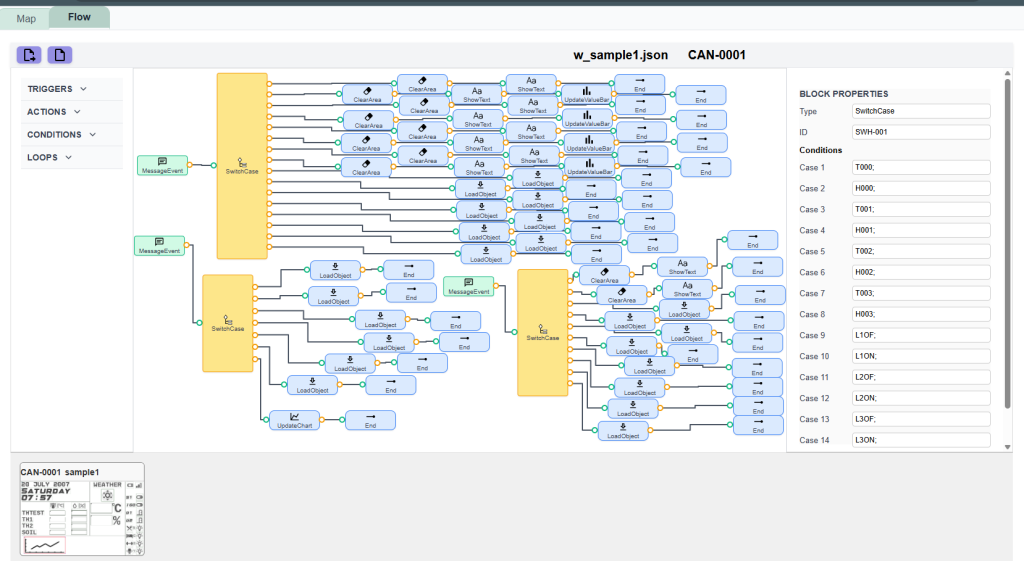
Define device behavior in the Flow Editor using intuitive blocks: Triggers, Actions, Conditions, and Loops.
Available Blocks:
… and the logic created becomes a ready-to-flash with one click configuration binary for the device.
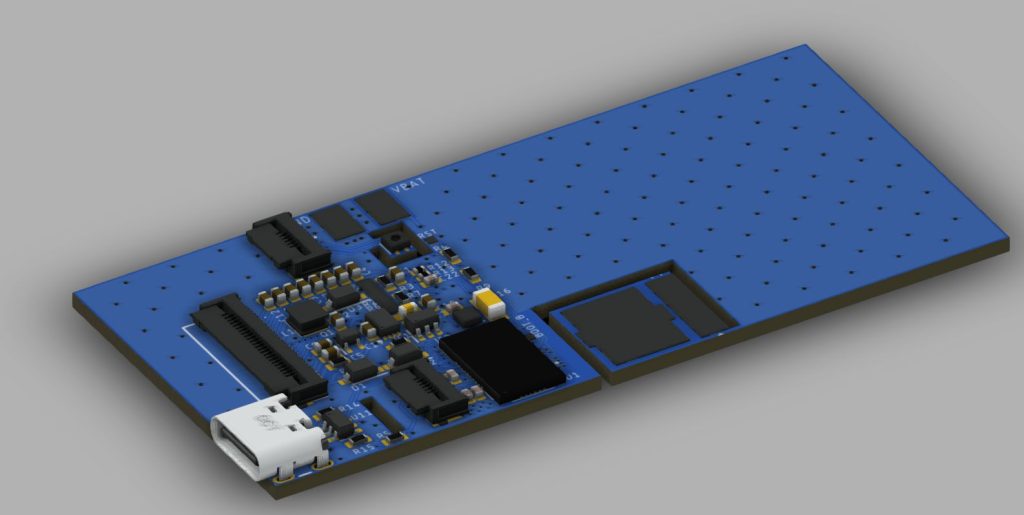
Hardware — Zigbee E-Paper Dashboards
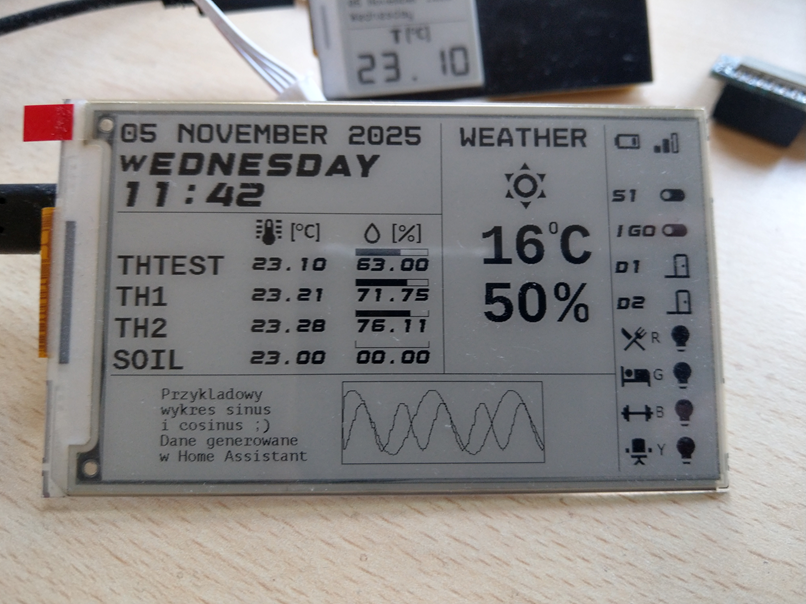
The devices operate as Zigbee Devices, optimized for battery efficiency.
They integrate seamlessly with Zigbee2MQTT and Home Assistant .
Currently there are several screen sizes: 1.54″(200x200px), 2.13″, 2.9″, 4,26″ and 7.5″ (800x480px) — with optional touch and frontlight modules.
One of the FW development goals is to make it ready for various platform: STM32, ESP32, nRF etc. and to communicate over any available mean off communication like Bluetooth Low Energy, Zigbee, UART, I2C, MODBUS etc. what will make it easily connectable to other platforms like i.e. Arduino.